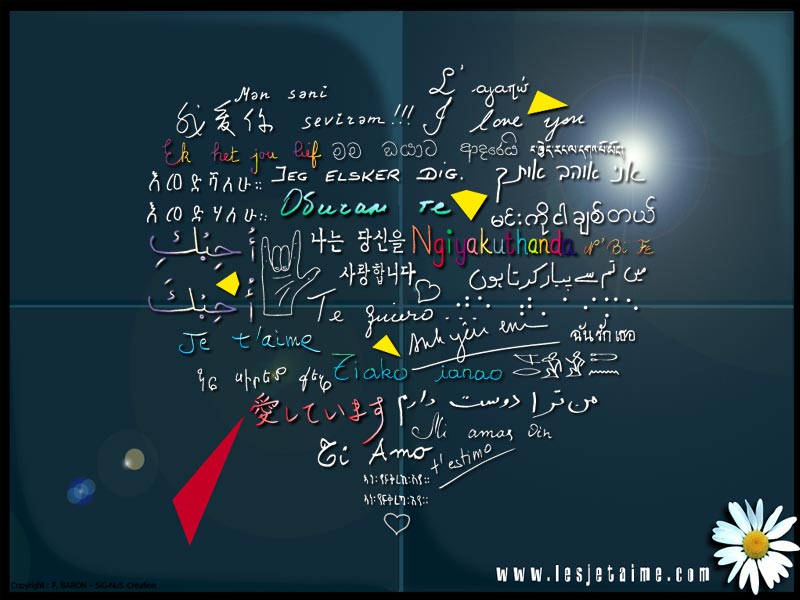
I love you : the wall
What schoolboy has not carved in his desk with his penknife the name of his first love? What teenager has not confided to the stone wall of his neighbourhood the secret of an "I love you"? What couple has not engraved its initials in a heart pierced by an arrow on the bark of a tree?
The initiative of Frédéric Baron is engraved in this long chain of silent passions. Lovers have their day of celebration, St Valentine's day. It is now time for them to have a meeting place; a space where love comes together in every language: Le mur des je t'aime (I love you : the wall).
As disciple of Philéas Fogg, Frédéric Baron dreamed of a trip around the world in 80 "I love yous". He did not leave. He asked his younger brother to write the magic phrase. Then he turned to a neighbour who was Arab or Portuguese or Russian…and so on. He opened many doors, particularly those of Embassies. Each time, it was the same mechanism, the same heartfelt fervour. In order to reap the most beautiful harvest of words of love, three large notebooks were filled with "I love you" written 1000 times in more than 300 languages.
Frédéric Baron asked Claire Kito, an artist who practices oriental calligraphy, to assemble the script. From their collaboration was born the image of a wall on which the principle languages and dialects of the planet glittered like stars in the sky.
Specializing in murals, Daniel Boulogne also fell in love with the project and successfully brought to completion the construction of this work.
Venice has its Bridge of Sighs, Agra its Taj Mahal. Let us hope that Paris, the City of Light, is illuminated and radiant from its new jewel, Le mur des je t'aime (The wall of I love yous).
In a world marked by violence and dominated by individualism, walls, like frontiers, are usually made to divide and to separate people and to protect them from one another. On the contrary, The Wall is a link, a place of reconciliation, a mirror which reflects an image of love and peace.
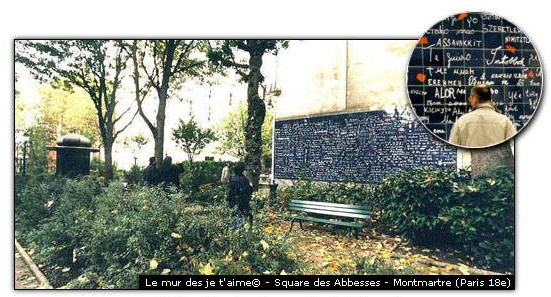
The Wall is built on a surface of 40m2 (10 x 4) and composed of 612 tiles of enamelled lava of 21x29.7 cm in size. The shape of the lava tiles remembers of the sheets of paper on which Frédéric Baron wrote his texts. The splashes of colour on the fresco are the pieces of a broken heart, those of a humanity which is too often torn apart and which The Wall attempts to reunite.
The Wall is located in Paris, Butte Montmartre, Place des Abbesses, in the Square Jehan Rictus. Metro: Abbesses. Admission is free.